Notes · October 2026
Exported from Base44 to a phone, the app signed no one in.
One empty setting, what fixing it brings back, what still breaks, and what the export does that nobody asked for.
Base44 builds a working web app from a description. Sooner or later a founder wants it in the App Store and Google Play, and the usual way there is to export the code and wrap it in a phone app. This note follows one app down that road.
The app is a small booking app for a yoga studio, built for this note in the Base44 editor from one message in plain words, plus answers to three questions the editor asked. Clients sign in, book classes and see only their own bookings. The studio is made up, the two clients are test accounts, and it ran on a free Base44 account. The code was exported with Base44's own command-line tool, wrapped with Capacitor, the usual wrapper for web apps, and run on an Android emulator.
1. Nothing reaches Base44
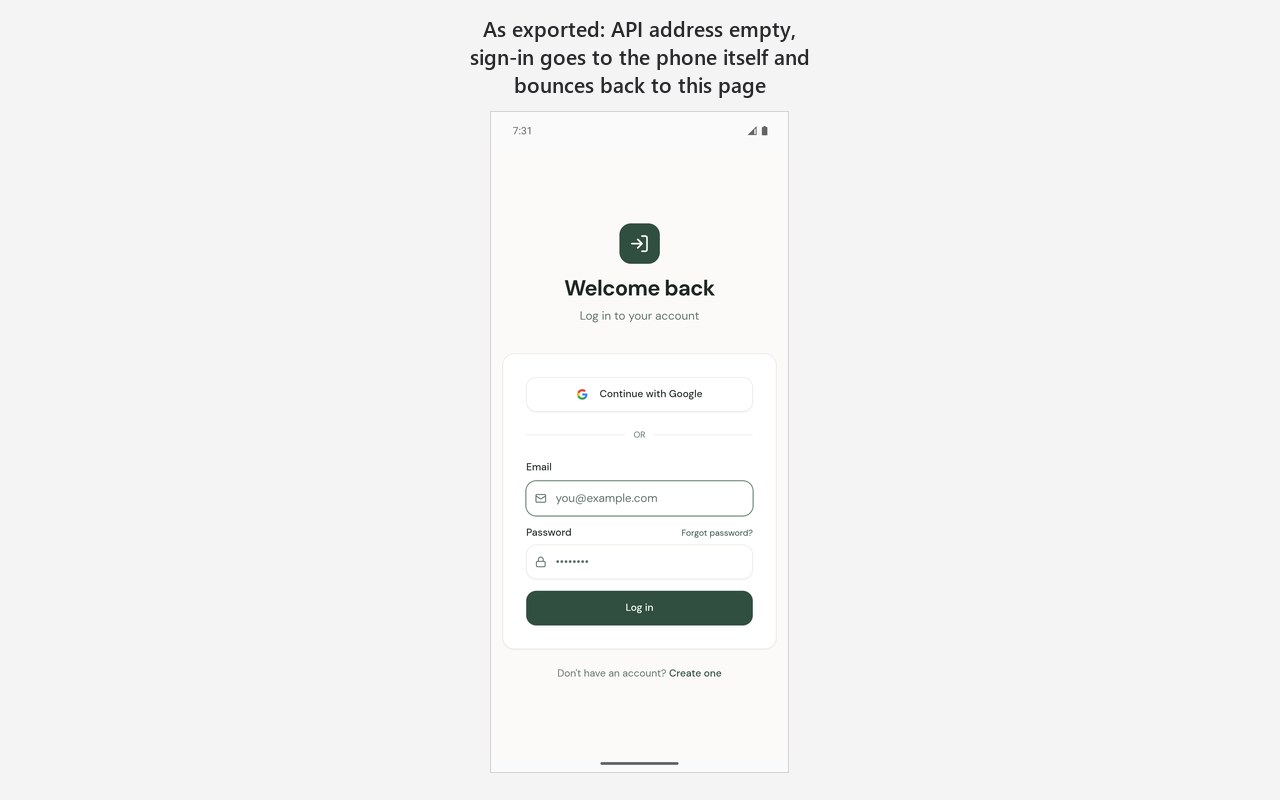
As exported, the app opens on its sign-in page, and that is as far as anyone gets. Type a correct email and password, tap "Log in", and the app quietly comes back to the same page. There is no error message.
The reason is one setting. The exported code leaves the address of Base44's server empty, so every request goes to "the address this page came from". On the web that is the app's own site, and it works. Inside a phone app the page comes from the phone itself, so sign-in and everything after it go to the phone, and nothing answers.
The fix is one line: put Base44's address in that setting. Base44's own template made from the command line has the same empty address, so this is not a slip of one app.
2. Signing in works, signing out doesn't
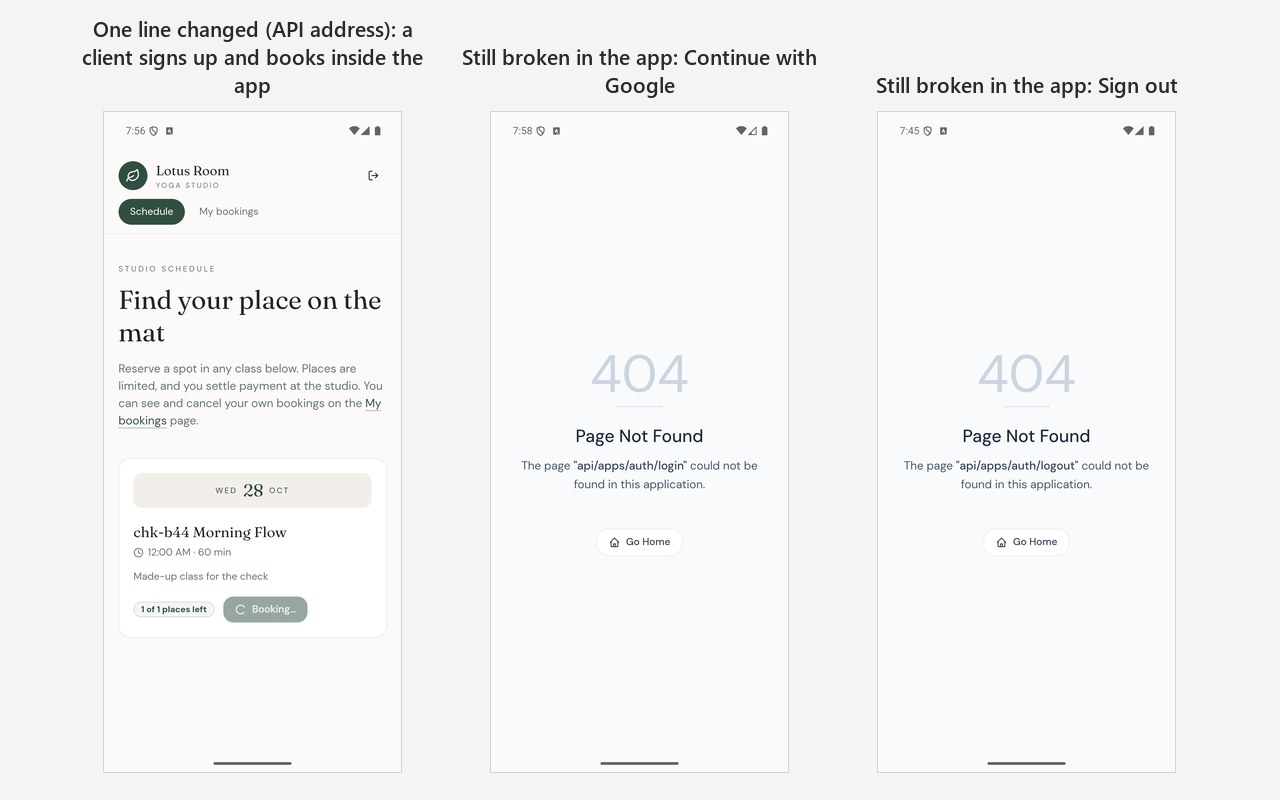
With the address in place, the app's own pages do their job inside the phone app. A new client signs up, gets a code by email, enters it, signs in and books a class. The sign-in stays in the app, and no browser opens.
Two buttons still fail. "Continue with Google" and "Sign out" both end on a "404 Page Not Found" screen inside the app. Both need a second address, the app's website, and the export doesn't set it. Setting it is not the end either: Google does not allow its sign-in inside an app's built-in window, so the sign-in would leave for Chrome, and nothing brings the person back into the app afterwards. For a phone app, Google sign-in needs its own way back, built and tested on purpose.
3. The access rules held, with one gap
This was the part I expected to be bad, and it wasn't. The editor had written access rules by itself: a booking can be read, changed or deleted only by its client or the studio's admin, and only the booking function creates bookings. They held. Client B could not see client A's booking in the list, by its number or by a filter, could not change it and could not delete it, and the list of users was closed to them. Signed out, nothing could be read or created.
The gap is in what a client may do with their own booking. The rule lets a client edit it directly, not only through the app's buttons. Client A cancelled a booking with the button, then put it back to "booked" with a direct request, and Base44 accepted it. The check on free places only runs when a booking is made, so the count never moved. The app showed "1 of 1 places left", and the next client was told the class was full. Had someone else taken the place in between, two clients would hold one place. It takes intent, not an accident, but every client has what it takes.
The way to close it is to let a client change a booking only through a function that checks the places, as making a booking already does.
One contrast is worth knowing. A project made from Base44's command-line template had no access rules at all: anyone with the app could read, add, change and delete every record. Apps from the editor get rules; code that starts from the template doesn't.
4. The export publishes a copy
Exporting the code did more than export it. Without asking, it made a second copy of the app in the account, sent the data tables and functions to it, and published that copy's website at once. For a founder, "give me the code" quietly means "put a second public copy online". Here the copy's site was replaced with a blank page within minutes, and it held no real data. With a real app, check the account for a new copy after exporting, and decide what it should show.
Before you send it to the stores
- Set both addresses, the server and the website, in the exported code, and try signing in, signing out and Google sign-in inside the phone app, not in a browser.
- Read the access rule of every data table. For each one, ask: can a person change this record directly, and does that skip a check the buttons do?
- After exporting, look for the new copy in your Base44 account.
- Then come the stores' own rules, as for any phone app: paying through the store's own purchases, deleting an account from inside the app, links to the privacy policy and terms.
What wasn't tried
The iPhone build: there was no Mac. Google sign-in with a real Google account. The editor's own Mobile tab, which makes store files only on Base44's paid Builder plan. What happens to a Google sign-in on the way back is read from the code of Base44's library, not run.